.png)


Push notifications are one of the most direct marketing channels available to ecommerce brands today. Direct access to your customer's lock screen, no algorithm, no inbox to compete with. The problem? Most brands either misuse them (too many, too generic) or underuse them, setting up abandoned cart recovery and calling it a day.
This article breaks down 15 proven push notification examples, across every stage of the customer journey, with copy templates you can adapt immediately. From abandoned cart to geo-targeted wallet notifications, from loyalty points reminders to seasonal campaigns, here's what actually works
What exactly is a push notification in ecommerce
A push notification is a short, clickable message sent directly to a user's device (phone, tablet, or desktop) without requiring them to be actively browsing a website or app. In ecommerce, it's one of the few channels where you reach your customer in real time, with no algorithm filtering your message and no inbox to compete with.
There are three formats ecommerce brands should know:
Mobile push notifications: sent through a mobile app, appearing on the lock screen or notification tray.
Web push notifications: sent via a browser subscription, reaching users on desktop and mobile even when they're not on your site.
Wallet-based push notifications: sent to customers who have added your loyalty card to their Apple or Google Wallet. No app required, no email deliverability issues.
The channel performs because of one thing: proximity. Personalized push notifications achieve up to 10% higher open rates than generic messages, according to CleverTap. Abandoned cart push notifications alone convert at around 8% (PushEngage). That's not a vanity metric, that's recoverable revenue sitting on the table.
Done right, push notification marketing supports retention, reactivation, and loyalty without inflating your CAC. Done wrong, it destroys your opt-in list faster than any other channel. What separates the two? Copy, timing, segmentation, and relevance. Here are 15 examples that work.
15 push notification examples for ecommerce (with ready-to-use templates)
Each example below includes a use case, a sample template, and a note on why it works. Adapt the copy to your brand voice and segment before sending.
1. Abandoned cart recovery
This is the highest-ROI automation in the push notification playbook. A customer adds items to their cart, gets distracted, and leaves. A well-timed push brings them back before the purchase intent cools down.
Template: "Hey [First Name], your cart is waiting. [Product name] might sell out, complete your order now."
Send within 30 to 60 minutes of abandonment while intent is still warm. A second push 24 hours later with a small incentive ("10% off if you complete today") can recover an additional slice of revenue. According to the Baymard Institute, over 70% of carts are abandoned. This automation pays for itself within days.
2. Welcome notification
When a new subscriber opts in to your push notifications, respond within minutes. This confirms the value of opting in, sets expectations, and starts the relationship on the right foot before it has a chance to go cold.
Template: "Welcome to [Brand name]. You're now first in line for exclusive offers, restocks, and early access. Here's 10% off your next order: [CODE]."
A welcome push that delivers immediate value creates a positive association with your notifications from day one. Brands that skip this step typically see significantly lower long-term engagement on every subsequent send.
3. Flash sale and limited-time offer
Urgency is one of the most effective conversion levers in marketing, and push is the fastest channel to activate it. A flash sale push notification taps directly into scarcity and time pressure, two behavioral triggers that consistently drive action.
Template: "48-hour flash sale starts now. Up to 30% off your favorites, shop before it's gone."
Keep the copy tight, lead with the discount or benefit, and include a visible deadline. Avoid overusing this format. If every push looks like a flash sale, your customers will tune out and your opt-out rate will climb.
4. Back in stock alert
Customers who wanted something that was unavailable are among the most motivated buyers in your entire database. The purchase decision is already made, they just need the green light. A back in stock push notification converts at extremely high rates for exactly that reason.
Template: "Good news: [Product name] is back. Don't miss it again."
Build your waitlist directly on product pages and trigger the push the moment inventory is restored. Deep-link straight to the product page to remove every friction point from the path to purchase.
5. Order confirmation and shipping update
Transactional push notifications are among the most opened messages you'll ever send. Customers actively want this information, open rates reflect that. Use the moment strategically.
Template: "Your order is on its way. Track your delivery in real time: [link]."
Add a subtle upsell recommendation or a loyalty point balance update within the notification. Keep it informative first, promotional second. This is the moment of highest trust in the post-purchase window, don't waste it on pure logistics.
6. Loyalty points reminder
One of the biggest missed opportunities in loyalty program management is leaving customers unaware of how close they are to a reward. If they don't know, they won't be motivated to act.
Template: "You're only 50 points away from a free gift. Shop now to unlock your reward."
This notification is personalized by nature, informative, and creates a clear call to action without feeling promotional. Pair it with a well-structured loyalty program to maximize conversion from notification to purchase.
7. Exclusive reward for VIP customers
VIP customers generate a disproportionate share of your revenue. A dedicated push for your top tier signals recognition, deepens emotional connection, and reinforces the value of reaching Gold or Platinum status.
Template: "You're one of our Gold members. As a thank you, enjoy exclusive early access to our new collection, 24 hours before everyone else."
This combines personalization, exclusivity, and urgency. The customer feels seen and rewarded. That emotional response translates directly into action and into continued loyalty to maintain their tier status.
8. Geo-targeted push via wallet pass
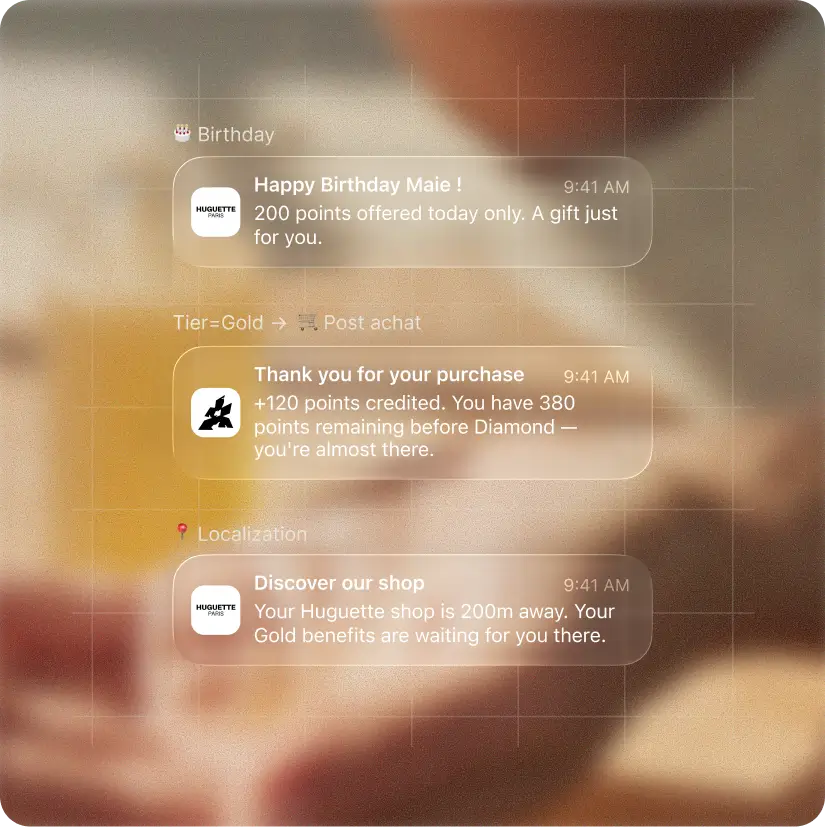
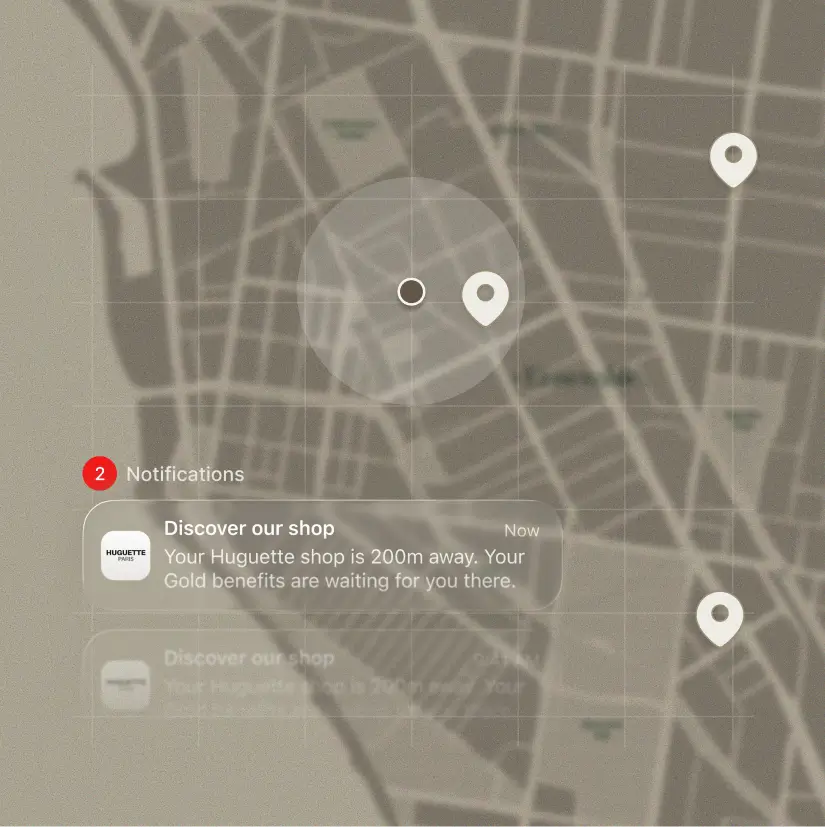
This is where push notifications become genuinely powerful for omnichannel brands. A geo-targeted push notification is triggered when a customer enters a geographic zone near one of your stores and appears directly on their lock screen via their digital loyalty card.
Template: "You're near our [City] store. Show this message at checkout to redeem 100 loyalty points today."
Unlike app-based push, this works through the Apple or Google Wallet, no dedicated app required. It's one of the most underused formats in ecommerce today. If you want to understand how this connects to a broader geofencing marketing strategy, we've covered it in detail. And if you want to go deeper on the Wallet channel as a whole, our dedicated Wallet ebook is a solid starting point.
Pssst... You might find this interesting!
Push notifications and wallet passes are strategic for your brand and we can probably help. Discover our platform!
9. Birthday and anniversary notification
Milestone notifications (birthdays, sign-up anniversaries, purchase anniversaries) are among the highest-converting push messages you can send. The personalization is built-in: this message could only exist for this person, on this specific day.
Template: "Happy birthday [First Name]. We're celebrating you with a special gift: 20% off, valid today only."
The time-limited offer adds urgency without feeling forced. According to Loyoly's Industry Report 2025, loyalty among French consumers is strongly tied to feeling recognized, and nothing communicates recognition like remembering someone's birthday with a real reward.
10. Post-purchase product recommendation
The moment right after a purchase is one of the highest-engagement windows in the customer journey. Satisfaction is high, trust is established, and the wallet is already open. A smart product recommendation push capitalizes on that momentum before it fades.
Template: "You'll love this too. Customers who bought [Product A] also love [Product B], check it out."
Base your recommendations on actual purchase data and browsing behavior, not generic bestsellers. The closer the match to what they already bought, the higher the conversion rate on this format.
11. Re-engagement and win-back notification
Every brand has a segment of subscribers who haven't purchased in 60, 90, or 120 days. A win-back push notification attempts to reactivate them before they're gone for good and before you have to pay to reacquire them through paid channels.
Template: "We miss you. Come back and discover what's new, plus here's 15% off just for returning."
Lead with curiosity ("discover what's new") and support it with an incentive. This approach consistently outperforms a straight discount push, which can feel transactional and erode the perceived value of your brand over time.
12. Review request after purchase
Social proof is a key purchase trigger for first-time buyers. Loyoly's Industry Report 2025 shows that 54% of French consumers cite positive customer reviews as a major factor in their first purchase decision. A timely review request push feeds that social proof engine sustainably.
Template: "Loving your [Product name]? Leave a review and earn 100 loyalty points as a thank you."
The combination of a review request and a loyalty reward incentive dramatically increases submission rates. Send it 7 to 10 days after delivery, once the customer has had time to actually use the product and form an opinion worth sharing.
13. Referral program invitation
Your best customers are your best acquisition channel. A push invitation to share their referral link turns post-purchase momentum into new customer acquisition. Timing matters critically here: send at peak satisfaction, not three weeks after the order.
Template: "Love us? Share the love. Give your friends 10 euros off and earn 10 euros for yourself when they order."
Keep the value proposition bilateral. The structure that performs best in referral marketing across all ecommerce verticals is one where both the referrer and the referred friend receive a real, tangible benefit.
14. New collection or product launch
Announcing a new launch via push drives first-mover traffic before any paid media effort kicks in. Customers who opted in specifically want to hear from you, a launch announcement is exactly the type of content that justifies their subscription.
Template: "The new collection just dropped. Be the first to explore it: exclusive 24h early access for subscribers."
The "first access for subscribers" framing rewards the opt-in behavior and reinforces the value of staying subscribed. It also creates a sense of privilege that email alone can't replicate with the same immediacy.
15. Seasonal and event-based campaign
Sales events (Black Friday, Valentine's Day, summer sales) are moments when purchase intent across your entire customer base spikes simultaneously. A seasonal push notification ensures your brand is in the right place at exactly the right time.
Template: "Black Friday starts early for you. Shop our exclusive member deals 24 hours before everyone else."
Give your push subscribers early access or a member-exclusive offer. It rewards their loyalty to the channel, creates genuine urgency, and cuts through the noise of mass email campaigns that flood every inbox during peak retail periods.
Push notification best practices to maximize engagement
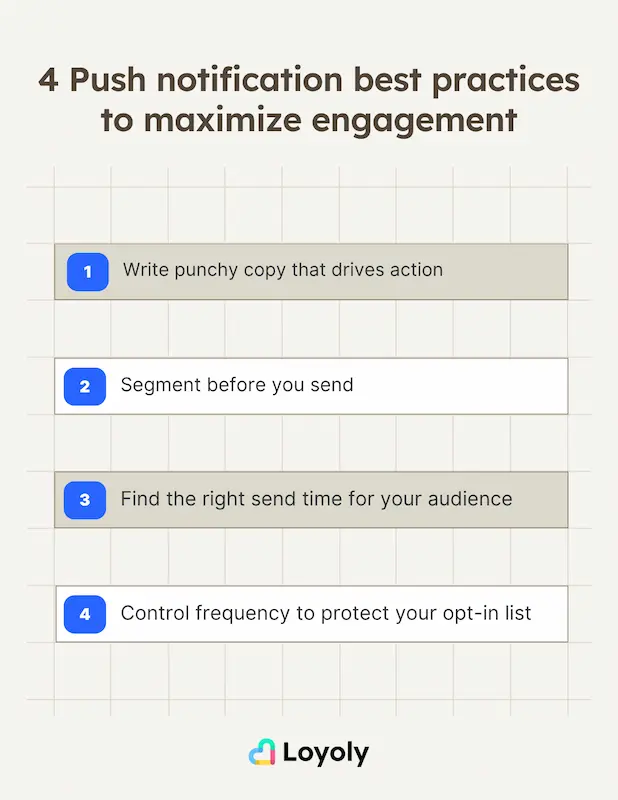
The 15 examples above only work if the fundamentals are solid. Here are the four principles that separate high-performing push programs from opt-out disasters.
Write copy that compels action in under 40 characters
Push notifications get cut off on most devices at around 40 to 50 characters for the title. Your entire argument needs to fit in a headline-sized space. Lead with the benefit, not the feature. "Your cart is waiting" outperforms "You have items in your shopping cart" every single time.
Avoid jargon, avoid vague language, and avoid opening with your brand name. The notification already shows your logo. Use every character to communicate value or create urgency. Action verbs, numbers, and time references all perform well in this format.
Segment before you send: relevance beats frequency
Segmentation is the single biggest lever for improving push notification performance. A VIP customer and a first-time visitor should never receive the same message. Segment by purchase history, loyalty tier, browsing behavior, geographic location, and lifecycle stage.
Brands that segment consistently build audiences that trust and welcome their notifications. Brands that blast everyone lose opt-ins fast, and once a user disables notifications for your brand, you've lost them permanently on that channel.
Find the right send time for your audience
Timing affects push performance dramatically. Analyze your own data first: when do your customers open emails? When do they make purchases? Those windows usually translate well to push. General benchmarks suggest mid-morning (10-11 AM) and early evening (7-8 PM) perform well across most ecommerce categories.
Time zones matter especially if you serve international markets. A notification sent at 7 PM local time in one country lands at 3 AM in another, and a 3 AM push is a fast track to opt-outs.
Control frequency to protect your opt-in list
Frequency is where most brands make their biggest mistakes. According to Loyoly's Industry Report 2025, 25% of consumers cite "too many communications" as a factor that could break their brand loyalty. For push, that threshold is even lower than email, the channel is inherently more intrusive.
Start with one push per week and scale up gradually based on engagement data. If open rates drop or opt-outs spike, pull back immediately. Quality of message always trumps volume of sends in push notification marketing.
Push notifications vs email: which channel to use when
The honest answer is: neither wins alone. Push notifications and email marketing are complementary channels that perform different jobs in the retention stack.
Push notifications excel at: real-time urgency (flash sales, back in stock), behavioral triggers (abandoned cart, win-back), and location-based messaging (geo-targeted wallet notifications). They're immediate, intrusive by design, and consumed in seconds.
Email excels at: longer-form content, newsletters, detailed product explanations, and nurturing sequences. Email is deliberate and asynchronous, customers engage with it on their own terms.
The smart retention strategy sequences both channels together: push for immediacy, email for depth. Abandoned cart? Push within the hour, email 24 to 48 hours later. New loyalty reward available? Push the alert, email the full details. That sequencing is what separates brands that treat push as a standalone tool from brands that build a genuine omnichannel loyalty strategy around it.
To sum up: push notifications are a high-performance, low-cost retention channel for ecommerce brands, but only when built on proper segmentation, relevant copy, and controlled frequency. The 15 examples above cover every key touchpoint in the customer journey, from first contact to win-back.
Loyoly's Wallet and Push Notifications feature lets you send geo-targeted push notifications directly to your customers' Apple or Google Wallet passes, no app required, no third-party partnership. It's built for ecommerce and retail brands that want to bridge online engagement and in-store visits, activate loyalty reward redemptions at the right moment, and drive repeat purchases across every touchpoint. With 600+ brands already using the platform, Loyoly's engaged customers generate on average 150% more LTV than their non-engaged counterparts. That's the compounding effect of smart, timely, personalized communication across every channel, including push.
FAQ
What are push notifications in ecommerce?
Push notifications in ecommerce are short, clickable messages sent to a user's phone, tablet, or desktop to communicate promotions, order updates, loyalty rewards, or personalized recommendations. They can be delivered via a mobile app, a browser subscription, or a digital wallet pass (Apple Wallet, Google Wallet).
What is the average open rate for ecommerce push notifications?
Push notification open rates typically range from 3% to 10% depending on the platform, vertical, and level of personalization. Well-segmented, personalized campaigns regularly hit the higher end of that range, while generic broadcasts tend to underperform and trigger opt-outs.
How many push notifications should you send per week?
For most ecommerce brands, 1 to 4 push notifications per week is a safe starting range. Begin conservatively and scale up based on engagement data. Sending too many too quickly is the fastest way to trigger opt-outs and lose access to the channel permanently.
What is a geo-targeted push notification?
A geo-targeted push notification is triggered when a user enters a defined geographic zone, such as the area around a physical store. It's typically delivered through a digital wallet loyalty pass and requires no dedicated app. This format is especially effective for omnichannel brands looking to drive in-store foot traffic and loyalty redemptions.
Are push notifications more effective than email for ecommerce?
Push notifications and email serve different purposes and work best together. Push is ideal for real-time, high-urgency messages (abandoned cart, flash sale, stock alert). Email works better for longer, richer content and deliberate communication sequences. The most effective retention strategies use both in coordination rather than choosing one over the other.