Follow all of Loyoly’s product updates and be the first to discover the future of customer-led growth.
%20(1).png)
We've added new one-click sharing buttons to your referral module: WhatsApp, Messenger and X.
The aim?
Enable your customers to share their link via their favourite channel, in an instant, and thus increase the number of referrals 🚀
Of course, you can customize the icons displayed from your back office.
.png)
Good news: the "Birthday" mission is now fully automated! 🥳
Until now, your customers had to manually enter their date of birth to validate this mission.
Now, Loyoly automatically validates it based on the customer data already present in Shopify.
Result: no more user action.
Points are credited instantly, as soon as a date of birth is detected in the corresponding field. 🎁
.png)
You can now define a start and end date for each scenario.
Result: these only run for the desired period, without lifting a finger. 🙌
Nothing could be better for reducing the risk of error and simplifying the management of your marketing operations.
.png)
Until now, your automations could trigger actions (points, rewards, add to a list...) but it was difficult to measure their business impact directly.
Now you can, with the new "Revenue Generation" property! 🚀
Thanks to this property, each action in a scenario can be linked to a conversion window (1, 3, 7 or 14 days).
Any purchase made by a user within this period will automatically be attributed to the automation concerned as generated revenue.
The objective: measure the true commercial impact of your automation scenarios and understand which loyalty actions actually generate sales.
.png)
Loyoly also integrates with Splio.
You can now manage your loyalty program emails directly from your CRM.
In concrete terms, this integration enables you to:
If necessary, follow this guides:
%20(2).png)
Loyoly also integrates with Braze.
You can now manage your loyalty program emails directly from your CRM.
In concrete terms, this integration enables you to:
And customer data (missions completed, rewards used, referrals validated, VIP Tiers, etc.) can also be stored as attributes.
If necessary, follow this guides:
.png)
Your "Users" tab has been revamped to offer you a clearer, more intuitive and, above all, more useful experience on a daily basis.
In concrete terms, this redesign enables you to :
All in one place.
The aim: to help you better understand your customers' commitment and manage your program like a true loyalty CRM.
.png)
Loyoly now integrates with Guaranteed Reviews Company.
You can now automatically reward users who leave a review following their order, whether it's a product review or a merchant review.
If necessary, follow this guide to help you:
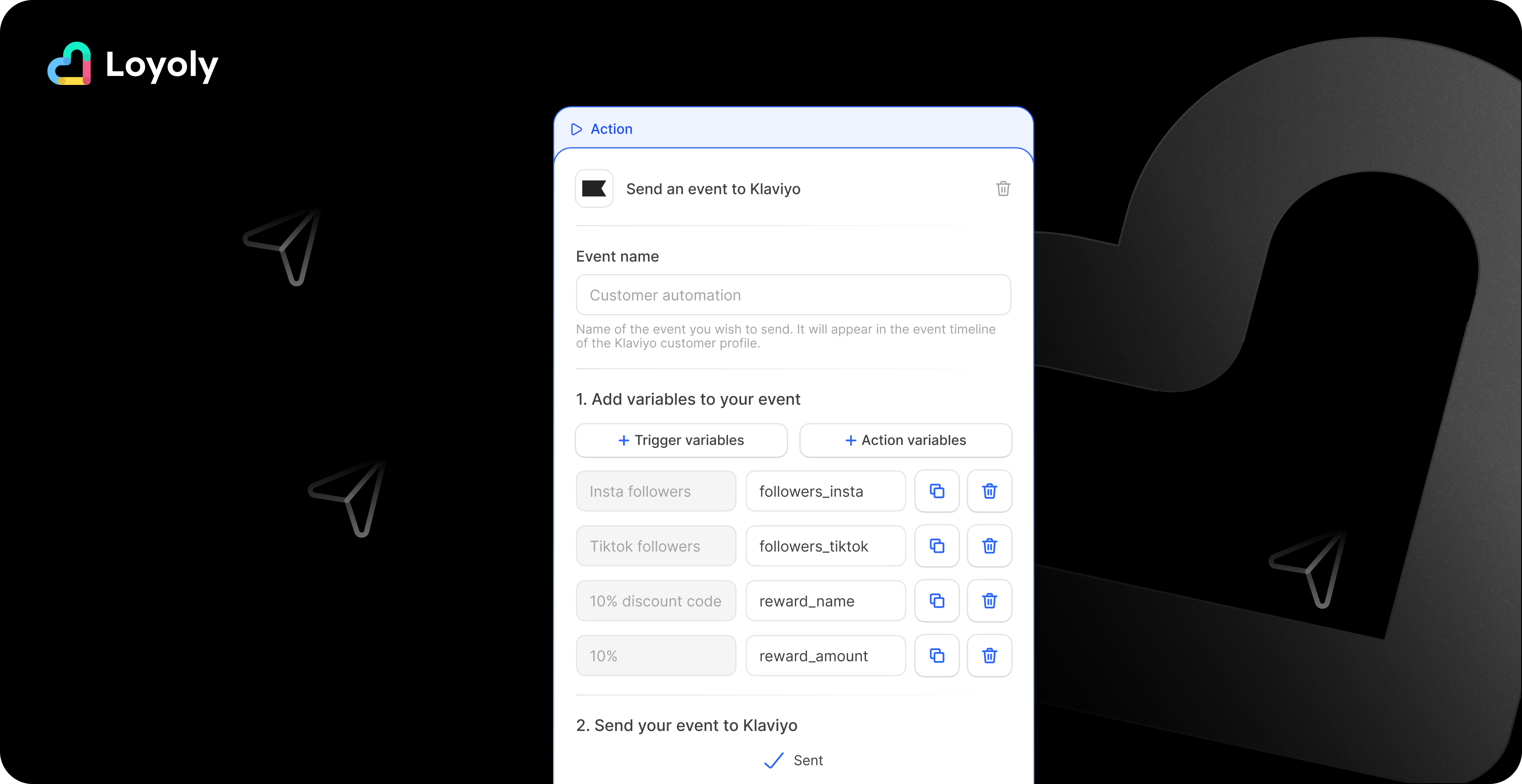
A new "Send event to Klaviyo" action makes its appearance.
This new feature lets you automatically send customized events to Klaviyo whenever a condition or trigger occurs in Loyoly.
The aim?
Create a real bridge between your engagement and loyalty actions and your CRM campaigns.
In concrete terms, you can :
If you need help, follow this guide.
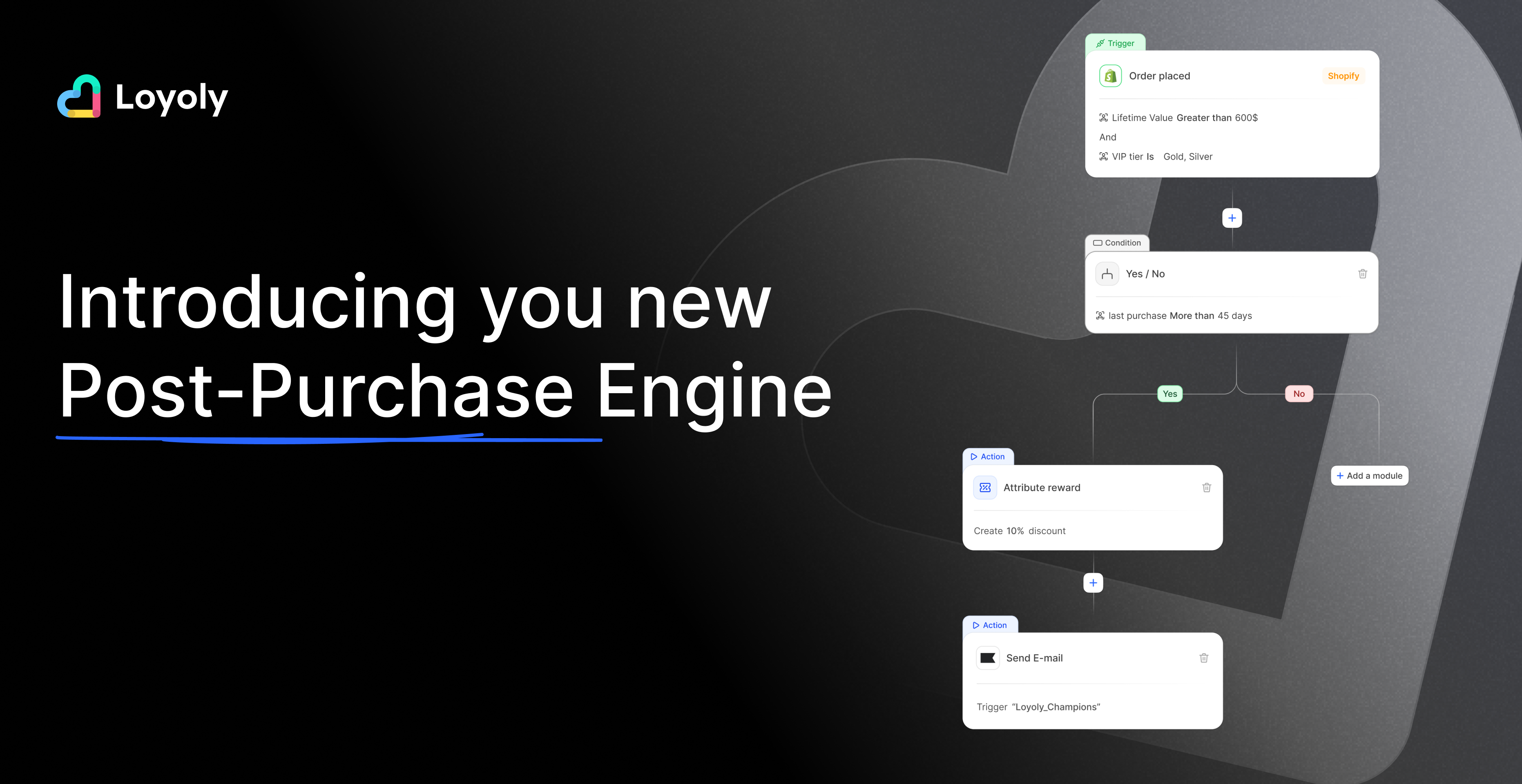
We are very proud to announce the official launch of Automations, our brand new hyper-customisation feature. ✨
Gone are the days of fixed post-purchase paths, cloned mechanics and standardized experiences.
With Automations, every customer now has a unique experience, tailored to his or her image.
In just a few clicks, create powerful, highly targeted, custom journeys:
Each profile enjoys an experience that truly matches who they are.
Beyond the journeys, it’s your results that improve:
🔥 Automations is now available on your Loyoly platform.
Now is the perfect time to test, experiment, and prepare for a memorable Q4.